GYMZA

Gym management software · Morocco

Your whole gym in one piece of software.

Members, memberships, payments, attendance, RFID tags and reports: Gymza runs your gym from the front-desk PC — and keeps working even when the internet goes down.

  • Members
  • Memberships
  • Payments
  • Attendance
  • RFID tags
  • Reports

14 days free · no credit card · Windows 10 and 11

See features

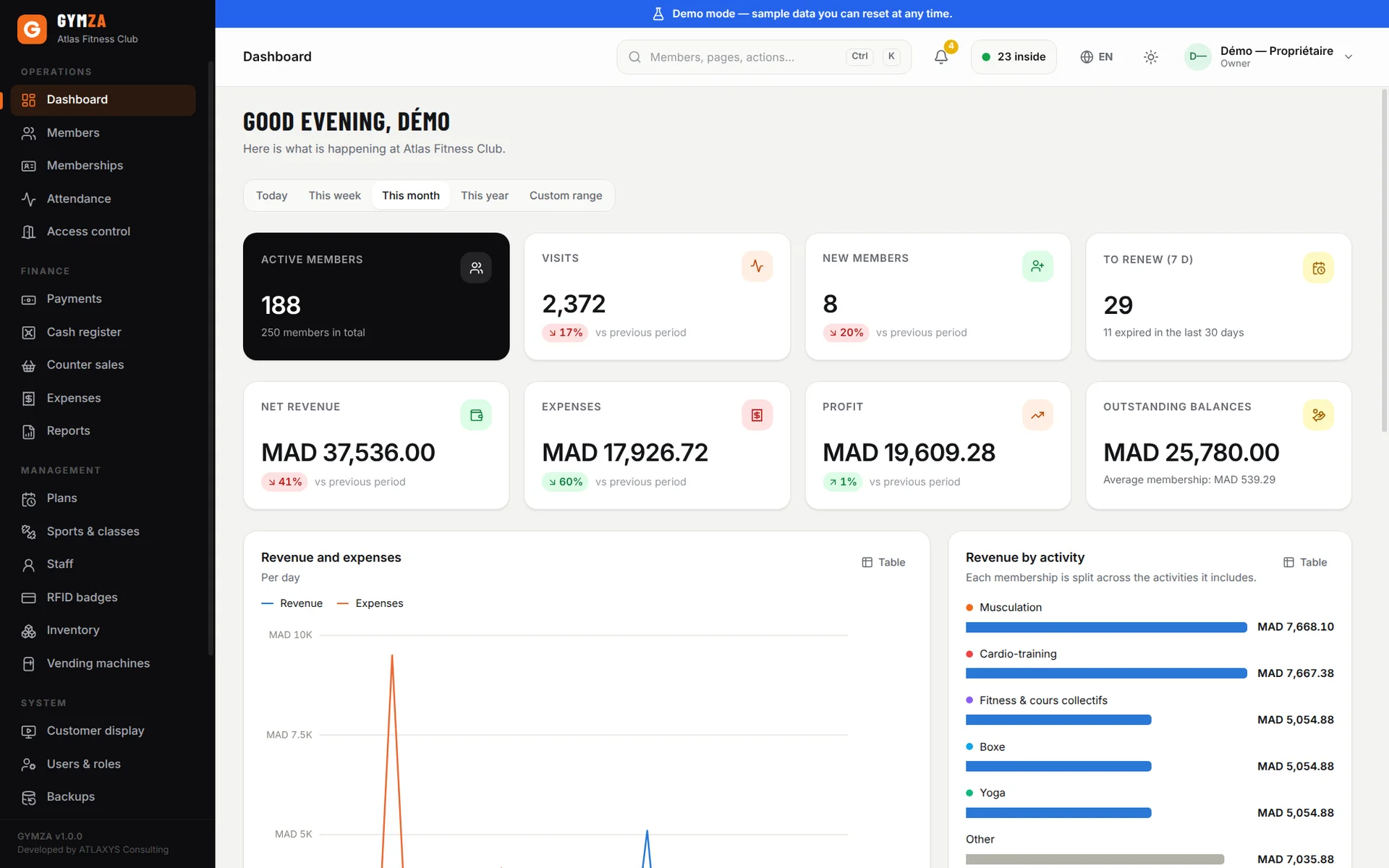
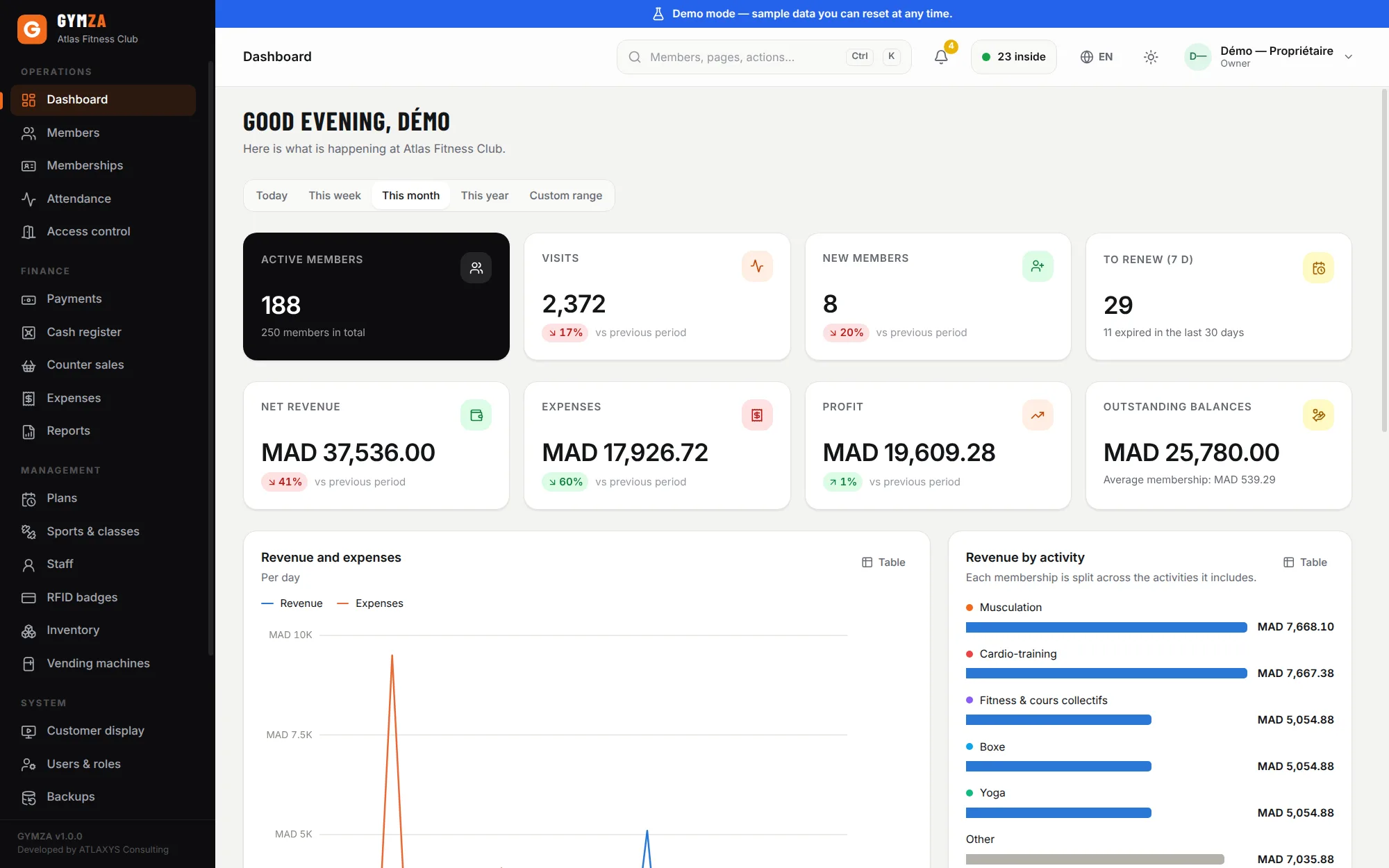
Gymza dashboard showing active members, visits, new members, renewals due, revenue, expenses and monthly profit in dirhams

Everyday gym life

No more notebooks, spreadsheets or missed renewals

What gym owners in Morocco deal with every day — and how Gymza answers it.

  • The problem

    “I never know who needs to renew this week.”

    With Gymza : Memberships about to expire are listed on the dashboard and in notifications — plus an on-screen reminder the moment the member scans their tag.

  • The problem

    “My notebook got damaged and my Excel file is corrupted.”

    With Gymza : A real database, backed up automatically every evening and verified, with an optional copy on a USB drive and optional encryption.

  • The problem

    “I can’t tell whether my gym is making money.”

    With Gymza : Revenue, expenses and profit, month by month and activity by activity, in two clicks.

  • The problem

    “Members keep lending each other their tags.”

    With Gymza : The member’s photo appears at every check-in. Add anti-passback and a one-entry-per-day limit if you want.

  • The problem

    “The cash drawer never adds up.”

    With Gymza : Every payment gets a numbered receipt and a staff name. Payments can’t be edited — only voided, and the record stays.

  • The problem

    “The Internet is down and I can’t work.”

    With Gymza : Gymza does not need the internet to work. Tags, payments and receipts carry on as usual.

In action

Gymza in one minute

Dashboard, sign-up, membership, payment, RFID tag, access control and reports: the full journey, on the software’s real screens.

Getting started

Up and running in half a day

No server to set up, no online account to create. Everything runs on your front-desk PC.

  1. 1

    Install Gymza

    One Windows installer, no administrator rights needed. The setup wizard asks for your gym’s name and creates the owner account.

  2. 2

    Add your members

    Enter them one by one or import your Excel or CSV file. The Gymza team can also migrate your data for you.

  3. 3

    Set up your memberships

    Monthly, quarterly, annual, class packs… with your own prices and activities.

  4. 4

    Connect your RFID Optional

    A USB reader is all you need to assign tags. Add a turnstile later without reinstalling anything.

  5. 5

    Run your gym

    Sign-ups, payments, check-ins and reports — all from one dashboard.

RFID & access control

One tap, one check-in, everything recorded

The member taps a card or wristband: Gymza checks their membership, records the visit and — if you have a turnstile — lets them through.

  1. Member arrives at the desk or turnstile
  2. RFID tag card, key fob or wristband
  3. Reader reads the tag number
  4. Gymza checks membership and rules
  5. Entry visit recorded, door opened

Three ways to work

  • Software only

    Run everything from one PC: members, memberships, payments, receipts and reports.

    • One Windows PC at the desk
    • Manual or QR-code check-in
    • Ideal to get started
  • Software + RFID reader

    A USB reader at the desk and tags for your members: check-in becomes automatic.

    • USB reader plugged into the PC
    • Cards, key fobs or wristbands
    • Visits recorded by tag
  • Full access control

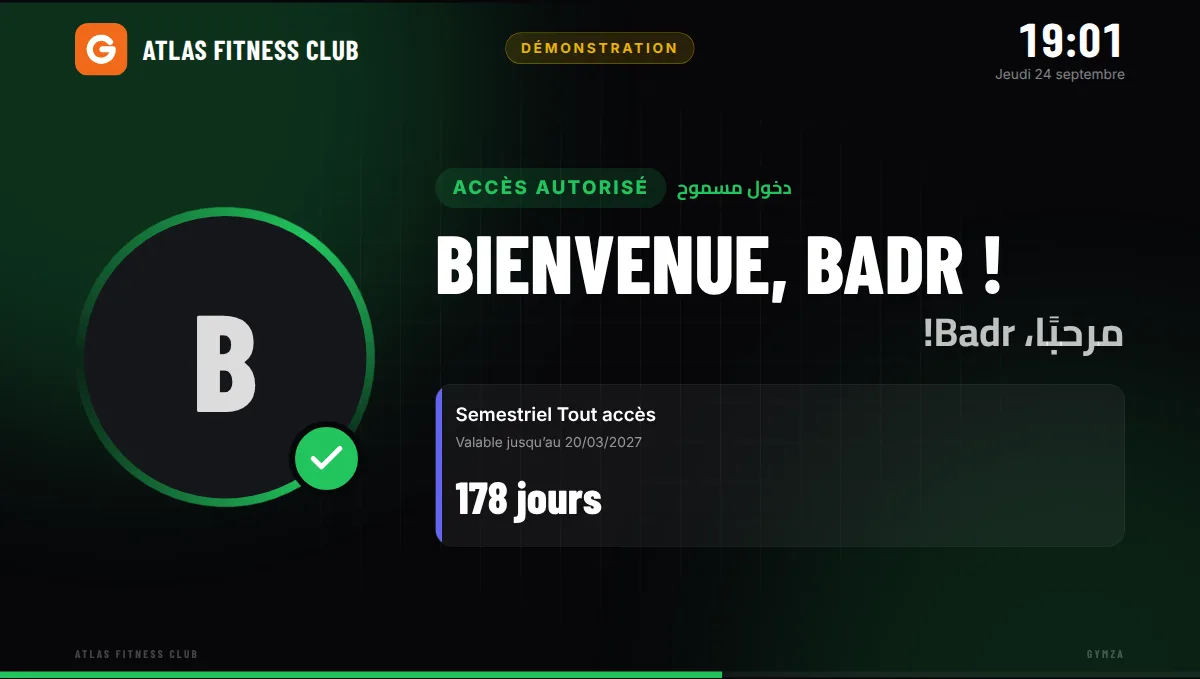
    Controller, turnstile reader and member display: only members in good standing get in, with no front-desk involvement.

    • Turnstile, gate or door
    • Automatic access rules
    • Member display at the entrance

Get started

Try it yourself, or with us

Two ways to discover Gymza, with no commitment.

Try it yourself

Download the full Windows version and use it free for 14 days. A demo gym with 250 members is included, so you can explore everything without typing a thing.

  • Every feature included
  • No credit card, no online account
  • Your data stays on your PC

Request a demo

We walk you through Gymza and answer your questions about RFID hardware, pricing and moving your existing data. On site or remotely, depending on your city.

  • Free, no commitment
  • In French or Arabic
  • Advice on the right hardware

Why Gymza

Software designed for gyms in Morocco

Practical choices, made for the day-to-day reality of a Moroccan gym.

  • Easy to use

    A complete sign-up — profile, photo, membership, payment, tag, receipt — takes minutes. Two hours of training is enough for front-desk staff.

  • Made for Morocco

    Dirhams, French-Arabic receipts with your ICE number, power cuts and patchy connections: these were our starting assumptions.

  • Runs on a Windows PC

    Windows 10 or 11 with 4 GB of RAM is enough. No expensive hardware required.

  • Works offline

    No Internet connection needed — not to work, not even to activate your license.

  • Member management

    Full profiles, photos, history and instant search by name, phone or tag.

  • Payment management

    Tamper-proof payment log, numbered receipts, outstanding balances everywhere, daily cash desk.

  • RFID ready

    Cards, key fobs or wristbands, USB reader and turnstile — add them when you’re ready.

  • The owner controls the data

    Your data stays on your computer and is backed up every evening. We keep no copy.

  • Support

    Help in French and Arabic. Remote access is only possible when you allow it.

  • Grows with you

    Start with the software alone; add tags, a member display and a turnstile later.

Screenshots

Real screenshots from the demo gym included with the software.

  • Gymza dashboard showing active members, visits, new members, renewals due, revenue, expenses and monthly profit in dirhams Enlarge
    Dashboard Active members, visits, revenue, expenses and profit for the month, compared with the previous period.
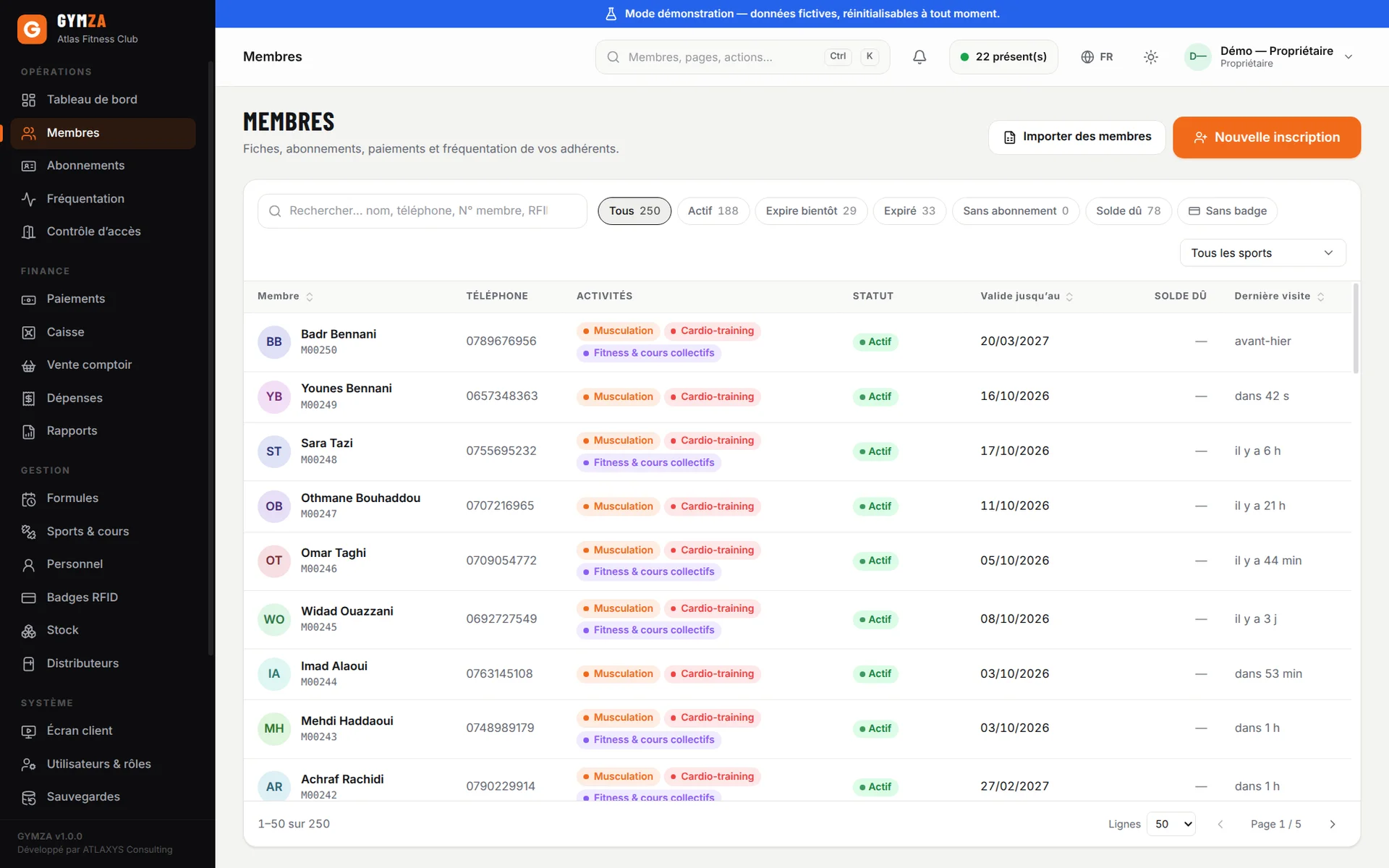
  • Gymza member list with status filters, search and each member’s membership status (French interface) Enlarge
    Members The member list with the filters you actually use: active, expiring soon, expired, balance due, no tag.
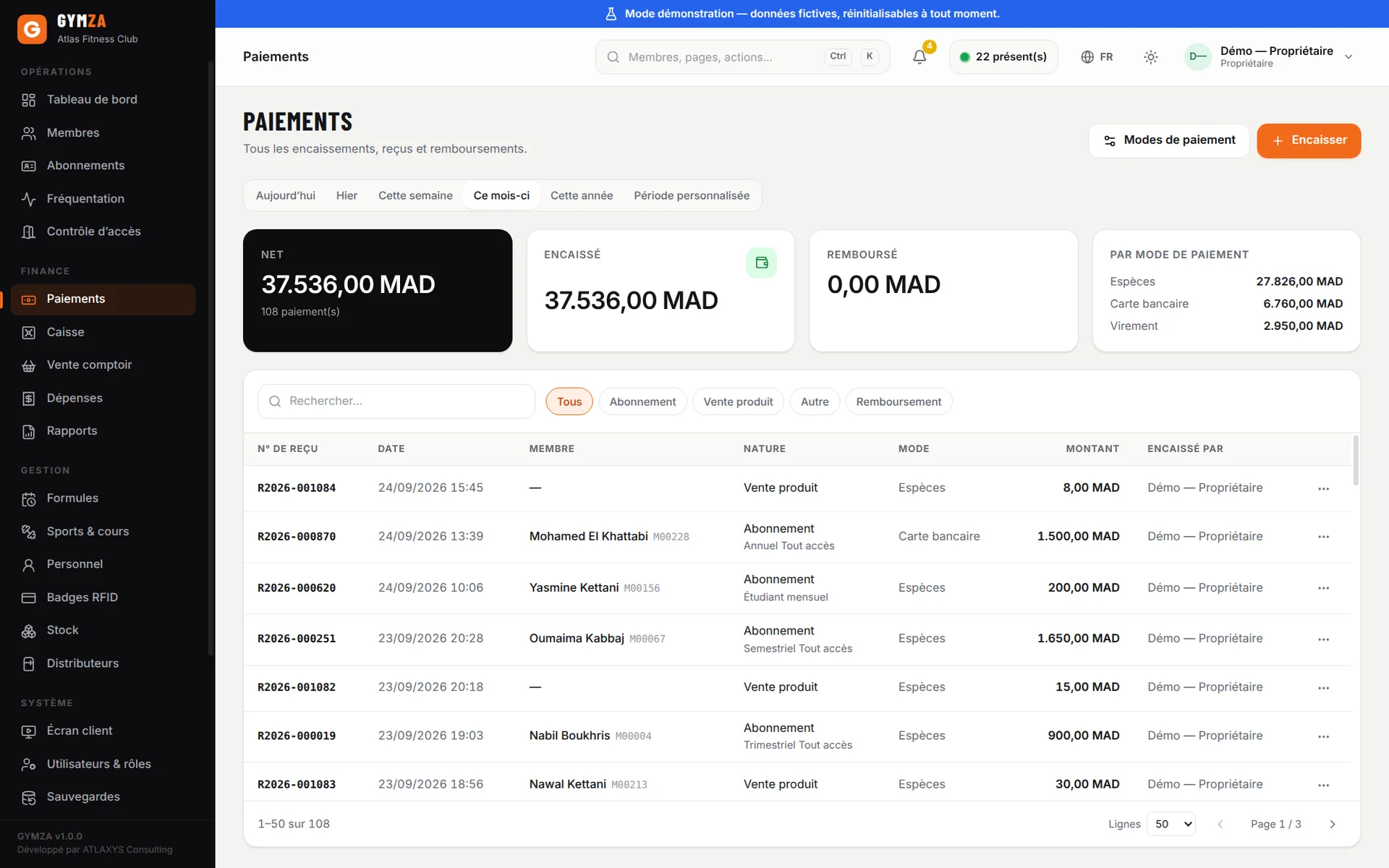
  • Gymza payment log with receipt numbers, amounts in dirhams and payment methods (French interface) Enlarge
    Payments The payment log with numbered receipts and payment methods.
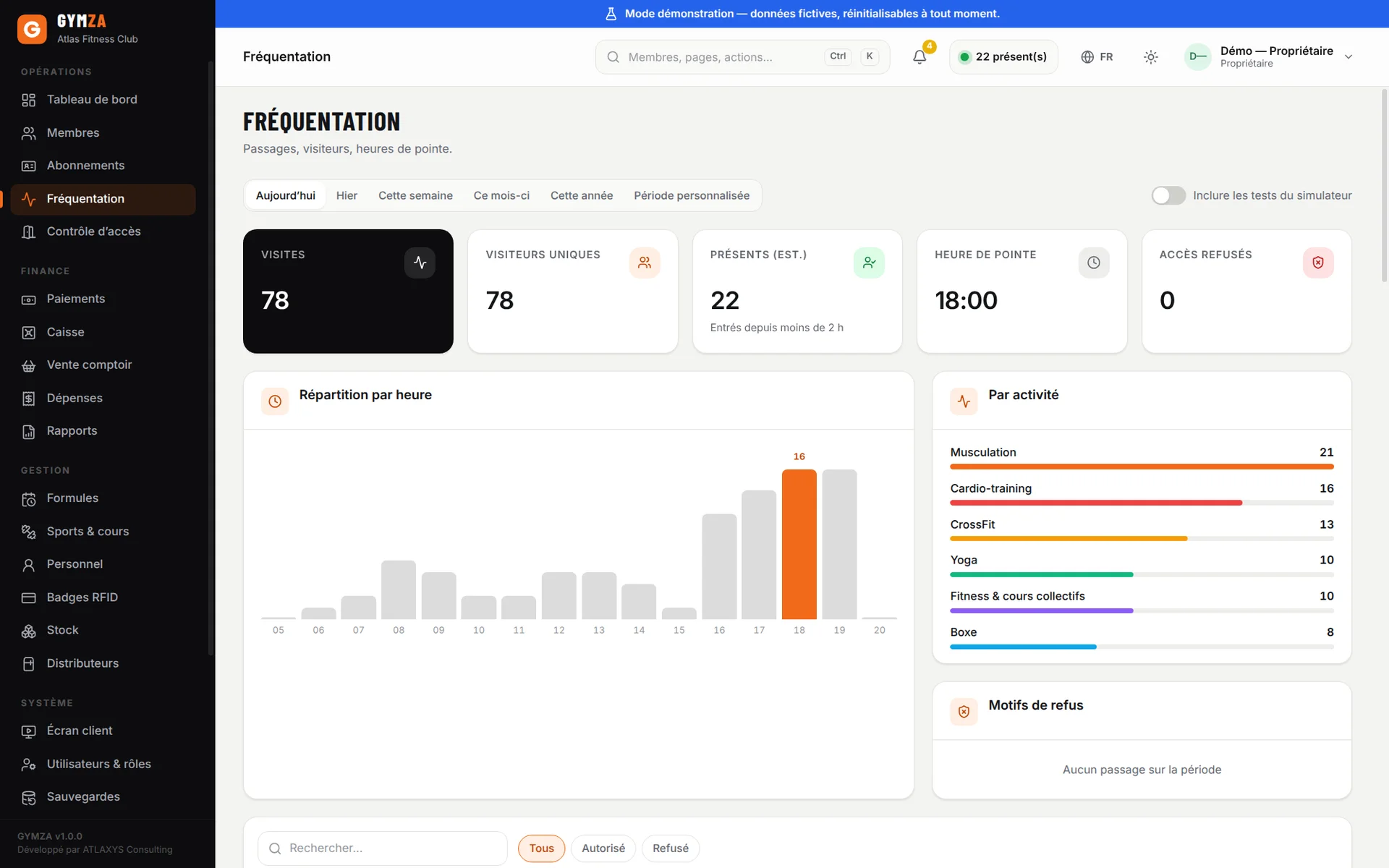
  • Gymza attendance screen with visits by day and by hour (French interface) Enlarge
    Attendance Footfall by day and hour — and the members who have stopped coming.
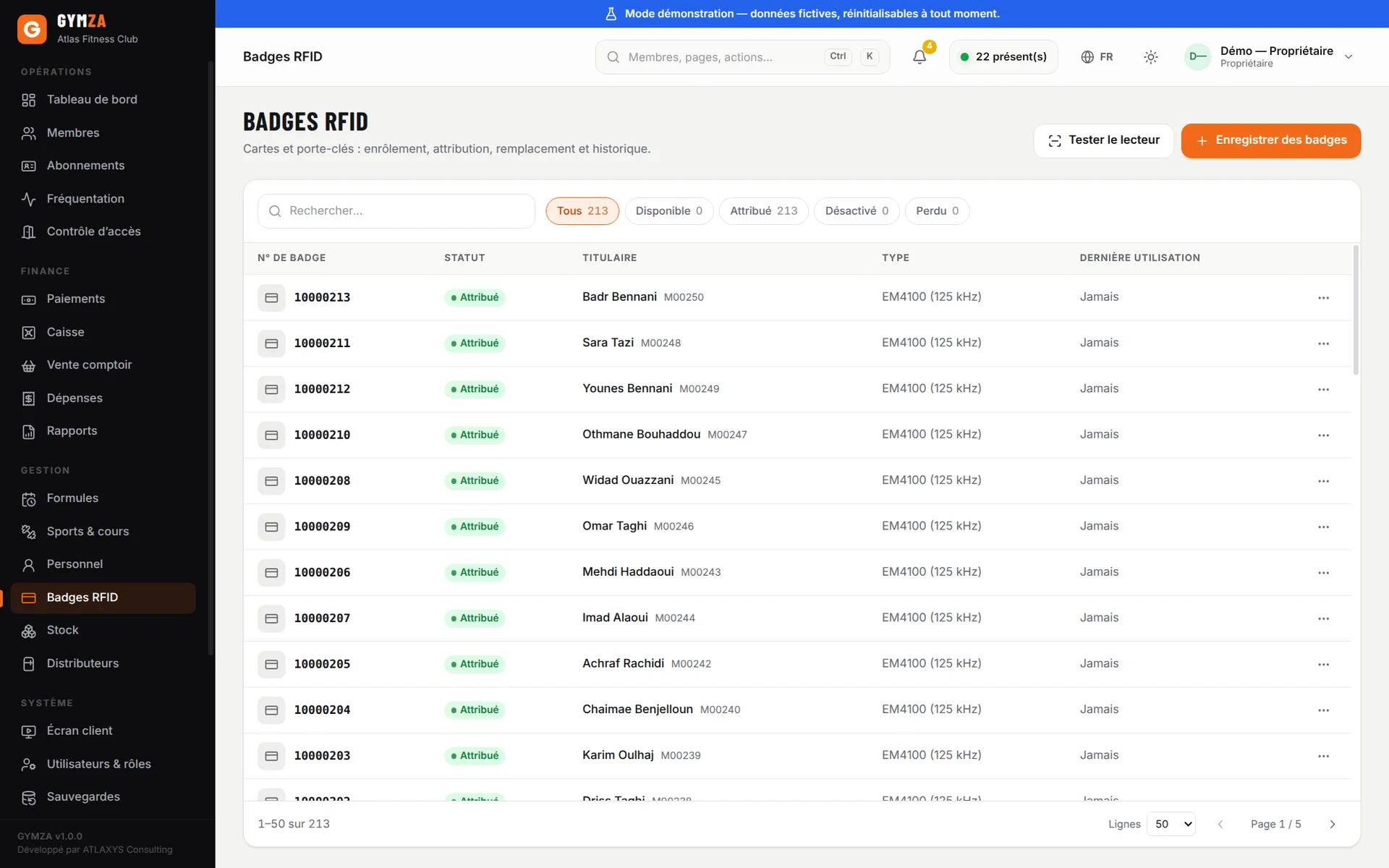
  • Gymza list of EM4100 RFID tags with tag number, status, holder and last use (French interface) Enlarge
    RFID tags Enrolment, assignment, replacement and history of cards and key fobs.
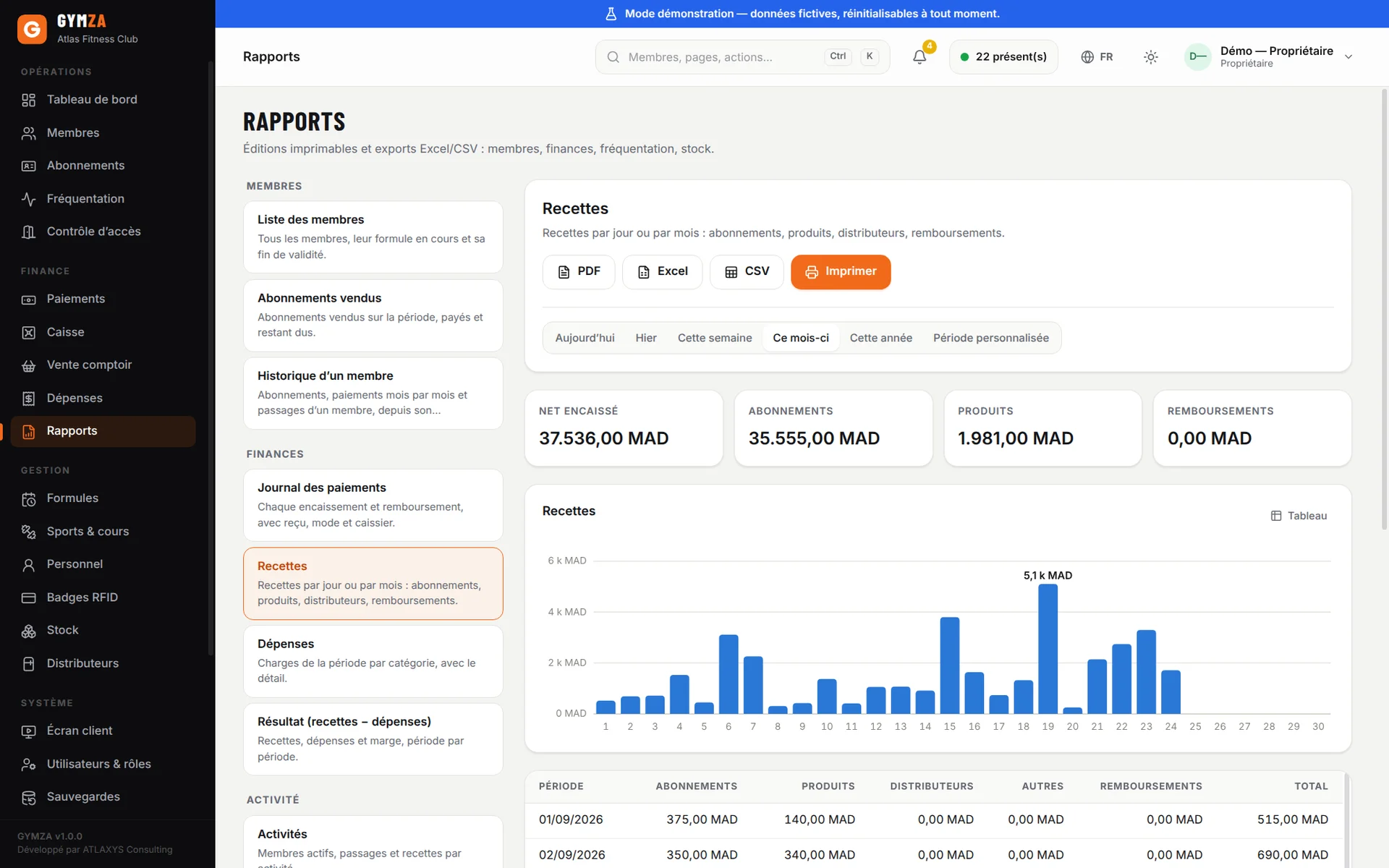
  • Gymza revenue report by period and payment method, in dirhams (French interface) Enlarge
    Revenue report A report ready to print or export to PDF, Excel or CSV.

By the numbers

Gymza at a glance

free trial with every feature included
14 days
sample members in the demo gym
250
reports exportable to PDF, Excel and CSV
15
Internet connections needed to run
0

FAQ

Your questions, answered

What is Gymza?

Gymza is gym management software for Windows. It brings members, memberships, payments and receipts, attendance, RFID access control, expenses and reports together in one application installed on the front-desk PC.

It is developed in Morocco by Atlaxys Consulting and works without an internet connection.

Who is Gymza for?

Owners and managers of gyms, fitness clubs, weight rooms, martial-arts and dance clubs who want to track their members, payments and entries without a notebook or spreadsheet.

Does Gymza work without internet?

Yes, completely. Gymza is installed on your gym’s computer and does not need the internet — not to sign up a member, take a payment, print a receipt or activate the licence.

A fibre or ADSL outage changes nothing for your gym.

Is there a free trial?

Yes. You download the full version of Gymza and use it free for 14 days, with no credit card and no online account.

A ready-made demo gym (250 fictitious members, eight months of history) is included so you can explore without entering anything.

Can I use Gymza without RFID?

Yes. All management features — members, memberships, payments, receipts, reports — work with just a PC. Check-in is then manual or uses the QR code printed on the member card.

You can add an RFID reader or a turnstile later without reinstalling anything.

How much does Gymza cost?

The price depends on your setup: software only, with an RFID reader and tags, or with full access control and installation. Request pricing and we will reply with an exact price in dirhams.

The 14-day trial is free, with no commitment.

How do I install Gymza?

Download the Windows installer and run it: no administrator rights are needed. On first start, a wizard asks for your gym’s name and creates the owner account. It takes a few minutes.

For a complete installation with hardware, we can install and configure the system and train your team.

Is Gymza suited to gyms in Morocco?

Yes — that is who it was designed for: amounts in dirhams, bilingual French-Arabic receipts with your gym’s ICE, a right-to-left Arabic interface, and offline operation for unreliable connections.

Support is provided from Morocco, in French and Arabic.

Try Gymza free for 14 days

Install it on your gym’s PC and explore a fully populated gym, with its members, memberships and payments. Or ask us for a demo.

No credit card required

Download Gymza